A gaming headset does two jobs at once. It plays game audio, and it carries your voice to the people you play with. Most buying mistakes come from getting one of those right and the other wrong, or from buying a headset that does not connect to the device you actually play on. This guide walks through the choices in the order that matters: connection first, then microphone, then fit, then the extras.
Start with where you play
Before you compare anything else, write down every device you want the headset to work with: a PC, a laptop, a console, a phone, a tablet. Connection support differs a lot between platforms, and a headset that works perfectly on a PC can be audio only, or not work at all, on a console.
- PC and Mac: almost everything works. USB, 3.5 mm, 2.4 GHz dongles and Bluetooth are all supported, although Bluetooth headsets can behave differently when the microphone is active (more on that below).
- Consoles: PlayStation and Xbox consoles have historically not supported ordinary Bluetooth headsets for game audio. They rely on USB, their own wireless systems, or a 3.5 mm jack on the controller. Nintendo added Bluetooth audio to the Switch in a system update, with limits. Support changes with firmware, so check the console maker's current support page before you buy.
- Phones and tablets: Bluetooth is the default. Many newer phones have no headphone jack, so a 3.5 mm headset needs a USB-C adapter.
If a product page lists compatible platforms, read the details, not only the icons. "Works with" can mean full chat and audio on one platform and audio only on another.
Wired or wireless
A wired headset has no battery to charge, no pairing and no wireless delay. It is also usually cheaper for the same sound quality. There are two common wired types:
- 3.5 mm analog: one 4-pole plug carries both sound and microphone. It plugs into most controllers, phones (with an adapter if needed) and laptops. Desktop PCs with separate pink and green jacks need a small splitter cable.
- USB: the headset has its own sound chip, which often allows software features such as equalizer settings or virtual surround. It only works on devices that support USB audio.
Wireless headsets free you from the cable, which matters if you sit back from the screen or move around. The trade-offs are charging, weight from the battery, a higher price, and possible delay depending on which wireless technology the headset uses.
2.4 GHz dongle vs Bluetooth: the latency question
"Wireless" covers two very different technologies, and the difference matters most for games.
2.4 GHz with a USB dongle uses a dedicated radio link designed by the headset maker. Manufacturers use it in gaming headsets because it can keep audio delay low, so footsteps and gunshots line up with what you see. The catch is the dongle: it has to be plugged in, and it only works on devices that accept it.
Bluetooth is universal, and it is what phones and tablets use. Standard Bluetooth audio codecs were designed mainly for music and calls, and they add a delay that some players notice in fast games. Many Bluetooth headsets also switch to a lower quality "headset" mode when the microphone is in use, so game audio can sound flatter during voice chat. Newer Bluetooth LE Audio uses a codec called LC3, which the Bluetooth SIG describes as offering high quality at lower data rates, but both the headset and your device must support it.
Some headsets offer both: a dongle for the PC or console and Bluetooth for the phone. If you play competitive games and also want to take calls on your phone, that dual setup is worth looking for. A "low latency" or "gaming mode" label on a Bluetooth product is a manufacturer claim. Treat it as a feature to try, and keep the return window in mind.
Microphones: boom, built-in and what the labels mean
Your teammates hear your microphone, not your headphones. Three things decide how you sound:
- Position. A boom microphone sits close to your mouth, so it picks up your voice louder than the room around you. Microphones built into earbuds or ear cups are farther away and pick up more keyboard noise, fans and echo.
- Pickup pattern. A directional (often called cardioid or unidirectional) microphone favors sound from the front. An omnidirectional one picks up from all sides. For a noisy room, directional is usually the better choice.
- Noise reduction. "ENC" or environmental noise cancellation filters background noise out of your voice signal. "ANC" or active noise cancellation is a different feature: it reduces outside noise in your ears. A headset can have one, both or neither, so check which one the listing means.
Practical features to look for: a flip-to-mute boom or a physical mute button you can find without looking, and a detachable boom if you also want to wear the headset outside.
Comfort for long sessions
Comfort is personal, and specs only tell you part of it. These are the parts you can check on a product page:
- Weight. Wireless models carry a battery. A lighter headset is usually easier to wear for hours.
- Clamping force and headband. A tight clamp seals out noise but can cause pressure, especially if you wear glasses. Look for adjustable or suspension-style headbands.
- Ear pads. Leatherette seals well but gets warm. Fabric or velour breathes better but lets more sound in and out. Replaceable pads extend the life of the headset.
- Over-ear vs on-ear vs in-ear. Over-ear cups surround the ear and are the most common gaming design. In-ear gaming earbuds are lighter and easier to carry, which suits phone and handheld gaming.
Sound: drivers, "7.1" and what actually helps
Bigger driver numbers (40 mm, 50 mm) do not guarantee better sound. Tuning matters more. "Virtual 7.1 surround" on a stereo headset is software processing on two drivers. Some players find it helps with direction, others prefer plain stereo. If a headset has an equalizer through software or onboard presets, that is often more useful than any single spec on the box.
Battery and charging (wireless only)
Battery life figures come from the manufacturer and are usually measured at moderate volume with lighting off, so expect less with RGB on and volume up. Check the charging port: USB-C is the most convenient today. Wireless headsets and earbuds contain lithium batteries, so treat them like any other battery device: use a suitable charger and stop using it if it swells or gets unusually hot.
Checks before you buy
- FCC ID for wireless models. Bluetooth and 2.4 GHz devices sold in the US need FCC equipment authorization. You can look up an FCC ID in the FCC ID search.
- What is in the box. Dongle, charging cable, detachable boom, splitter, spare tips for earbuds.
- Return rules for in-ear products. Many stores, including ours, treat opened in-ear audio as a hygiene item for change-of-mind returns. Defective items can still be returned. See our returns policy for the exact terms.
- Delivery time. If you need it by a certain date, check the shipping estimate first. Our shipping page lists current delivery times.
Quick decision guide
- PC or console, competitive games, one desk: wired, or wireless with a 2.4 GHz dongle.
- Several devices including a phone: a headset with both a dongle and Bluetooth, or a 3.5 mm wired headset with adapters.
- Mainly phone or handheld gaming: Bluetooth earbuds or a light Bluetooth headset, accepting some delay.
- You talk a lot in voice chat: prioritize a boom microphone over sound features.
What we carry
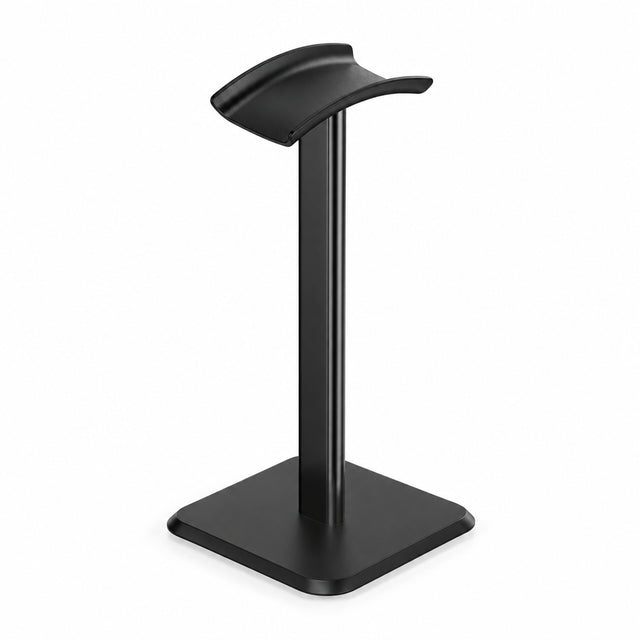
We do not carry over-ear gaming headsets yet. For phone and handheld gaming, we list the MiGuer Bluetooth gaming earbuds with a built-in mic, in our Audio range. They are a Bluetooth product, so everything above about Bluetooth delay and in-ear microphones applies. If your headset needs a home on the desk, a plastic headphone stand (Viesrita) keeps it off the keyboard. More stands and hangers are in Headphone Stands.
Sources
- Bluetooth SIG, LE Audio
- Federal Communications Commission, FCC ID Search and Equipment Authorization